



OSADL Technical Tools
Little helper programs to make life easier when using Open Source software in products

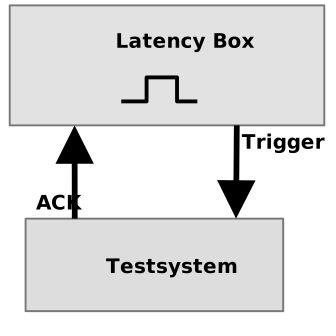
To determine the response time of a selected device to asynchronous external signals, the OSADL latency measurement box is used. For this purpose, a signal is sent from the latency box to the tested device. This signal wakes up a user-space program that is waiting for data from the device. The user-space program then sends a signal back to the latency box to confirm receipt of the signal. The latency box records the time difference that elapses between sending the trigger signal to the device and receiving the acknowledgement from the device. This acquired measurement data is stored in a file on the latency box and can be retrieved from the latency box via the network or serial interface and subsequently evaluated.

The parallel port monitor can be useful especially in situations where a system is no longer responsive on normal input and output channels. It is connected via the parallel port, which can also be easily added to current systems via PCI or PCIe bus. If there is still some life left in a system, the four input channels allow to trigger various sysrq operations, while the output channels can be used to output the low-level kernel states.


